High-level Zentyal abstractions
Network objects
Network objects are a way to represent a network element, or a group of them. They allow you to simplify and consequently make it easier to manage network configuration. A network object allows you to give an easily recognizable name to an element or a group of them and allows you to apply the same configuration to all of them.
For example, instead of defining the same firewall rule for each IP address of a subnetwork, you could simply define it for the network object that contains the addresses.
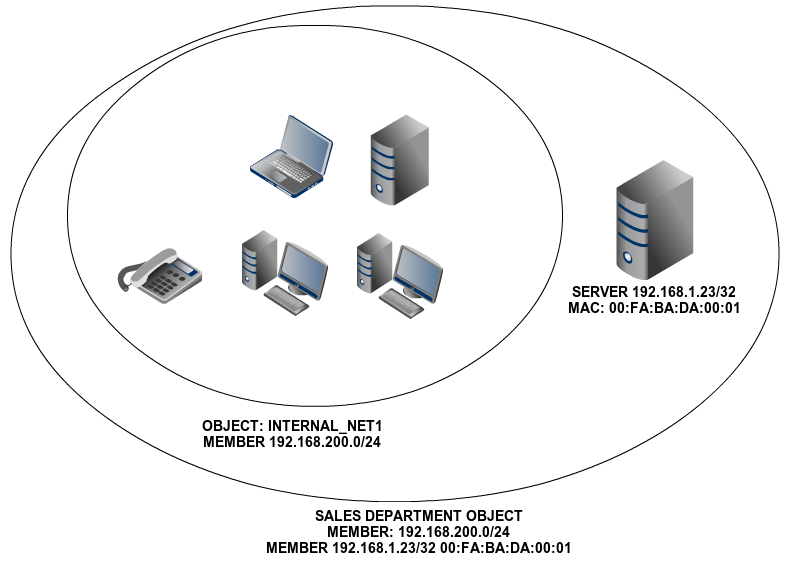
Representation of network objects
An object consists of any number of members. Each of these member consists of a network range or a specific host.
Management of Network objects with Zentyal
To start working with the Zentyal objects go to section. Initially, you will see an empty list. Once you have created the objects, you will see the name of all the objects and a series of actions you can perform on each one of them. You can create, edit and delete objects that will be used later by other modules.
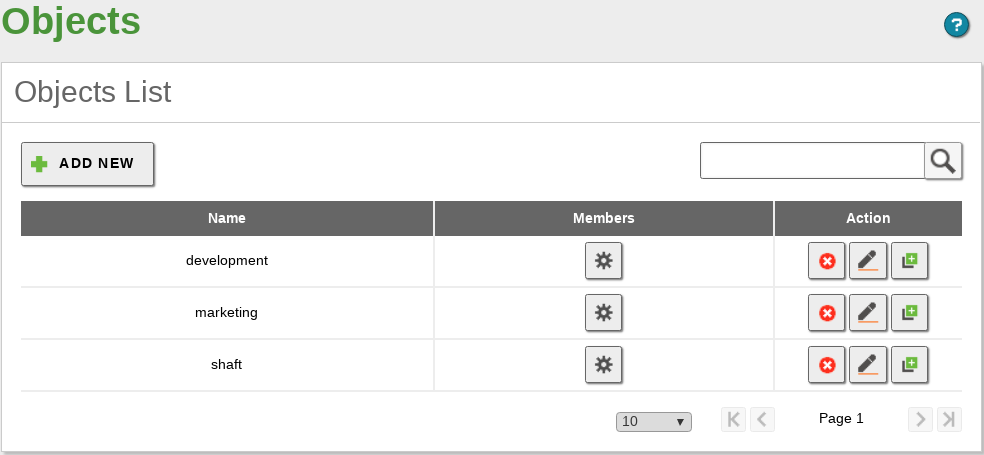
Network objects
Each one of these objects consists of a series of members that can be modified at any time. The members must have at least the following values: Name, IP Address and Netmask. The MAC address is optional and logically, you can only use it on members that represent a single host (/32). It will be applied when the MAC address in accessible.
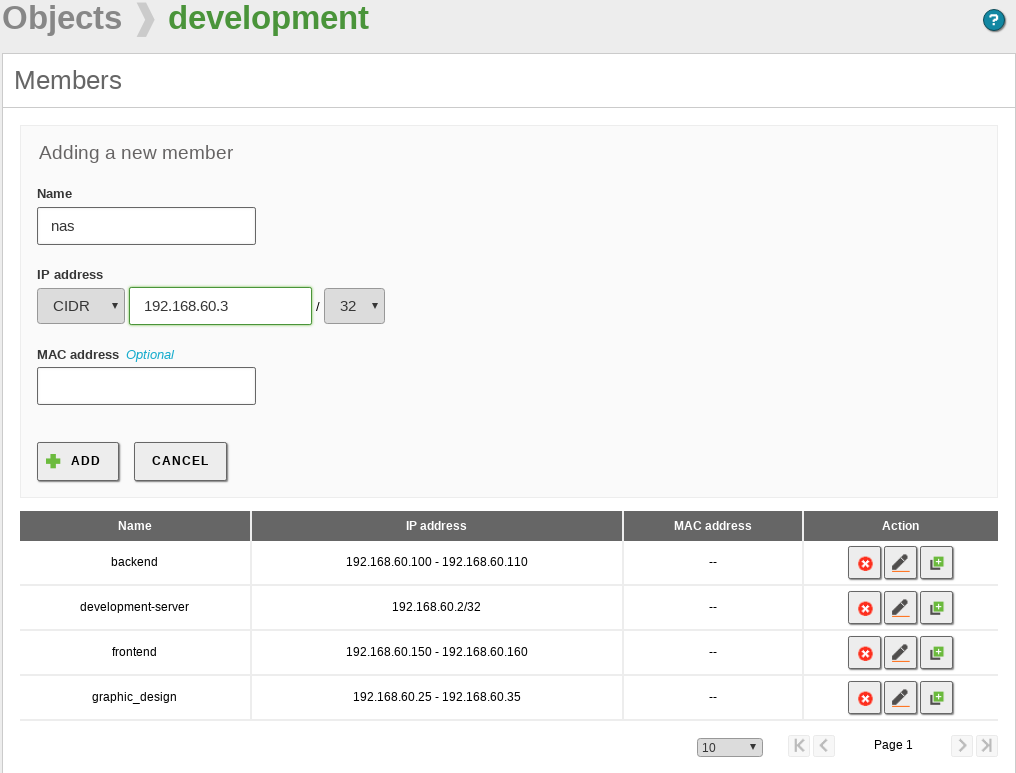
Add a new member
A member can belong to several objects, which is useful and intuitive when configuring policies for a specific module. However, you must keep in mind that - due to this overlap, if you use the same objects in other modules, you could obtain unwanted configurations.
In some configuration sections of Zentyal, where you can use network objects (like DHCP or Firewall) a quick embedded menu will be offered, so you can create and configure the network objects without explicitly accessing this menu section.
Network services
Network services is a way to represent the protocols (TCP, UDP, ICMP, etc.) and the ports used by an application or a group of related applications. The purpose of the services is similar to that of the objects: if objects help to refer to a set of IP addresses using a recognisable name, you can also identify a set of ports by the name of the application that uses them.
When browsing, for example, the most usual port is the HTTP port 80/TCP. But in addition, you also have to use the HTTPS port 443/TCP and the alternative port 8080/TCP. Again, it is not necessary to apply a rule that affects the browsing of each one of the ports, but the service that represents browsing and contains these three ports. Another example is the file sharing in Windows networks, where the server listens to the ports 137/TCP, 138/TCP, 139/TCP and 445/TCP.
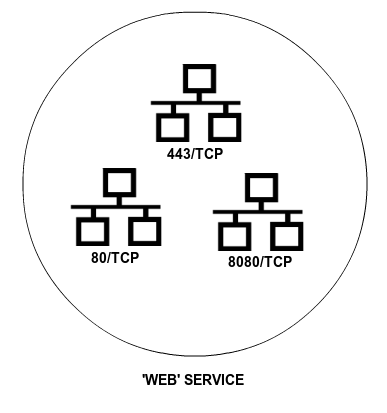
Example of a service composed of different ports
Management of Network services with Zentyal
To manage services with Zentyal, go to menu where you will find a list of available services, created by all the installed modules and those that were added later. For each service you can see the Name, Description and access the Configuration. Furthermore, each service has a series of members. Each one contains Protocol, Source port and Destination port values. You can introduce the value Any in all of the fields to specify, for example, the services in which the source port is indifferent, or a Range of ports.
TCP, UDP, ESP, GRE or ICMP protocols are supported. You can also use a TCP/UDP value to avoid having to add the same port twice when both protocols are used by a service, for example DNS.
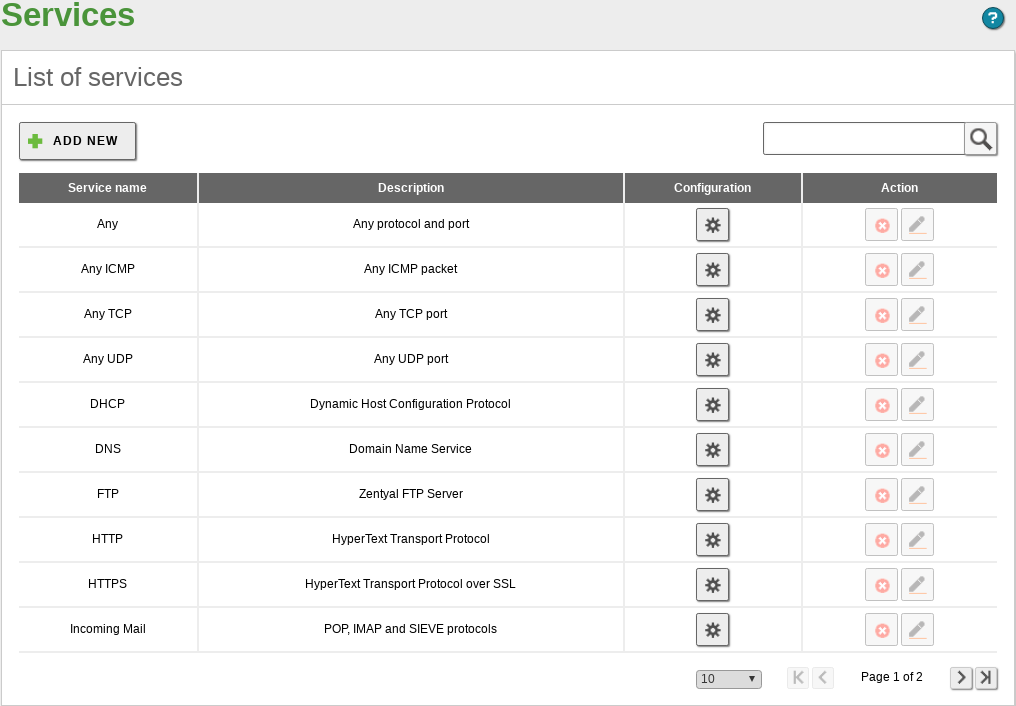
Network services